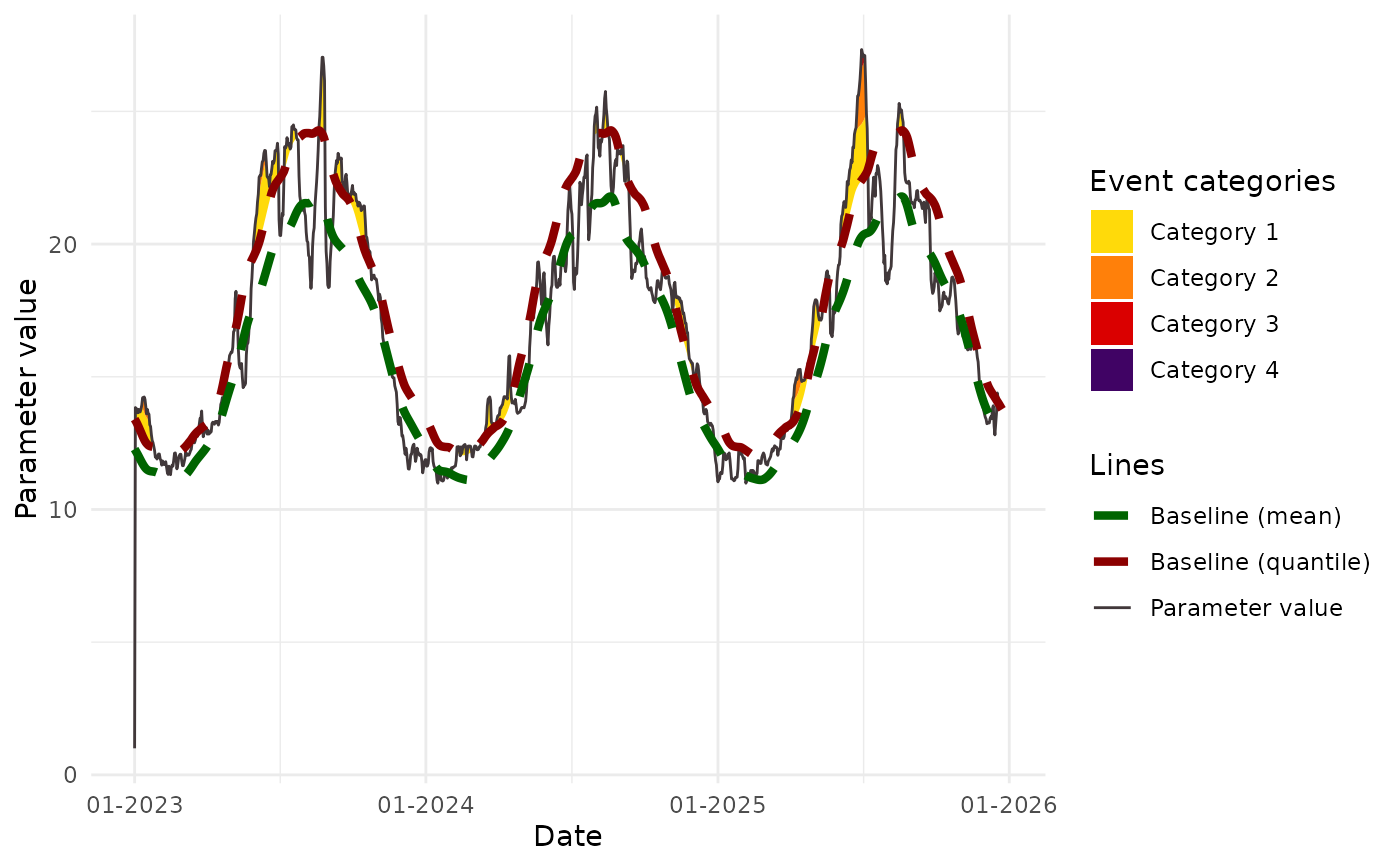
Use BEE.calc.metric_point() to plot extreme event categorie over the all time period or over a subset of that period.
BEE.plot.categories(
  metric_point_df,
  color_theme = "red",
  start_date = NULL,
  end_date = NULL,
  ...
)
Arguments
- metric_point_df
: The output of BEE.calc.metric_point() for a given location. Please note that the output of BEE.calc.metric_point() is a list. You only need to provide a dataframe from that list, not the whole list.
- color_theme
: A vector of four colour codes of your choice (the first one is for category 1 and the last one is for category 4), or 'red' to use an automatic palette of red shades, or 'blue' for a colour-shaded palette.
- start_date
: = NULL by default or the date at which you want to start the plot. It must be in the same format than metric_point_df$date.
- end_date
: = NULL by default or the date at which you want to stop the plot. It must be in the same format than metric_point_df$date.
- ...
: Customising the graph is possible by adding any general ggplot2 argument.
Value
A 'ggplot2' with the date on the x-axis, the studied parameter value on the y-axis, and the extreme events coloured according to their category.
Examples
 # Load data:
file_name_1 <- system.file(file.path("extdata", "metrics_points_pixel.rds"),
                                  package = "BioExtremeEvent")
metrics_points_day <- readRDS(file_name_1)
# Get data set for one gps point
metrics_points_day <- metrics_points_day[[1]] # first gps point
BEE.plot.categories(metric_point_df = metrics_points_day,
                    color_theme = "red",
                    start_date = NULL,
                    end_date = NULL)
#> Warning: Removed 740 rows containing missing values or values outside the scale range
#> (`geom_ribbon()`).
#> Warning: Removed 740 rows containing missing values or values outside the scale range
#> (`geom_ribbon()`).
#> Warning: Removed 740 rows containing missing values or values outside the scale range
#> (`geom_ribbon()`).
#> Warning: Removed 740 rows containing missing values or values outside the scale range
#> (`geom_ribbon()`).